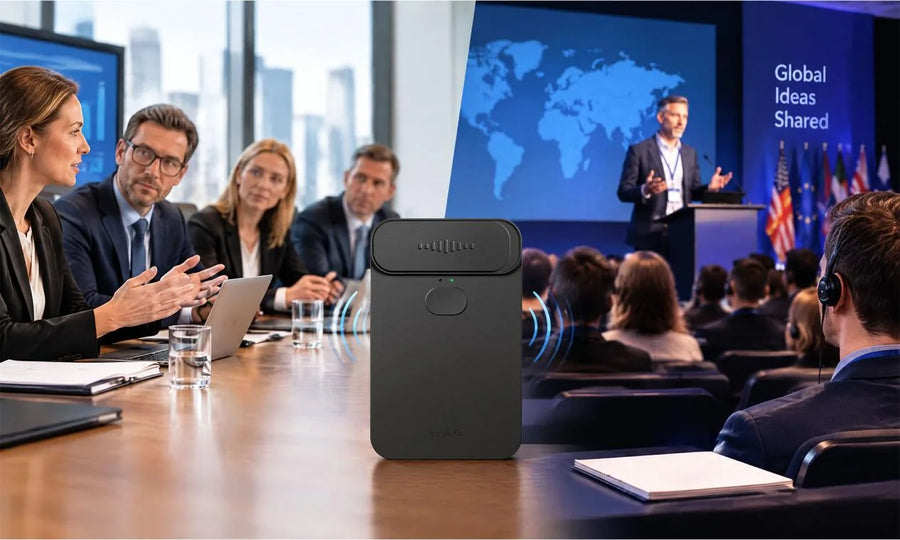

A Spanish voice translator helps you talk with Spanish speakers in the language you know best. The strongest choice matches your setting, recognizes regional speech, and gives both people a clear way to speak and listen. For travel, client meetings, family calls, or classroom exchanges, real-time voice translation can keep each reply close to the moment it belongs.
What Should You Look for in a Spanish Voice Translator?
Look for a Spanish voice translator with accurate speech recognition, a conversation mode, clear audio output, and support for the languages you use most. Fast output matters, yet a useful tool also shows text so you can catch a name, date, or place before you answer.
Focus on practical checks before choosing a device or service:
- Test Spanish input at a normal speaking pace.
- Check whether the translator shows translated text clearly during your conversation.
- Confirm support for face-to-face, call, and message situations.
- Review offline options for travel or low-signal locations.
A translator with real-time, face-to-face, call, text, photo, and offline options can cover more than one type of conversation. A good fit gives you a clear record of the words as well as spoken output.
Choose the Right Translation Mode for Spanish Conversations
Choose a mode that fits the conversation location and pace. A face-to-face setting works well at a counter, in a taxi, or during a casual visit, while a call mode suits remote conversations where each person needs subtitles or translated speech.
| Situation | Useful Mode | What You Can Check |
|---|---|---|
| In-person chat | Two-way conversation | Each speaker’s translated text |
| Video or voice call | Call translation | Subtitles and turn timing |
| Written exchange | Text translation | Spelling, names, and links |
| Travel without reliable data | Offline mode | Available language pair |
Try a short sample conversation before a high-stakes exchange. The best voice translator feels easy to use during a real discussion.
Before a meeting, check how the tool handles a speaker's change, a short interruption, and a proper name. Read the translated text after each test, then listen to the audio result. Those quick checks show whether the screen, speaker volume, and language settings fit your usual settings.
For a restaurant order or travel question, simple phrases can be enough. For a price, appointment, or address, repeat the detail in a second sentence and ask the other person to confirm it. That small habit catches errors while the conversation is still easy to correct.

Regional Spanish Support Matters in Real Conversations
Regional Spanish support matters because vocabulary, pronunciation, and everyday expressions vary across communities. A conversation with a colleague in Mexico City can use different terms from one with family in Madrid, Buenos Aires, or San Juan.
Say a short phrase, listen to the result, and ask for clarification when a local word carries more than one meaning. For a medical, legal, or financial conversation, confirm key details with a qualified bilingual professional.
Ask one local-language question before you rely on a regional setting: “What word would you use for that here?” The answer can show a different term for a car, a job title, a food item, or an everyday action. Keep regional slang out of a sensitive conversation until both people agree on the meaning.
Look for Spanish support that includes the regional variant you need. Regional awareness keeps translation in its proper place: a helpful part of the conversation, with your judgment still in charge.

How Does Two-Way Voice Translation Help You Respond Faster?
Two-way voice translation gives each person a turn to speak in a chosen language and receive the other person’s meaning in a familiar language. You spend less time passing a phone back and forth or composing each sentence before you can respond.
Use a simple rhythm for smoother exchanges:
- Speak one idea at a time.
- Pause for the translated speech or text.
- Check proper names, numbers, dates, and addresses.
- Ask a short follow-up question if any part feels unclear.
A voice translator Spanish setup can support natural back-and-forth dialogue when each person keeps sentences focused. Clear turn-taking also gives both speakers time to correct a phrase early.
Use a separate turn for each question, answer, and follow-up. Long stories, jokes, and several questions in one sentence can blur the order of ideas in any translation. If the topic changes, state the new topic plainly before the next question.
Use Voice Cloning When a Familiar Tone Matters
Voice cloning can give translated speech a more familiar tone when you have permission to use the recorded voice. It can suit personal greetings, repeated introductions, or presentations where your identity and delivery matter alongside the words.
Some translators can create a voice-cloning sample from a short recording. Get clear consent before capturing anyone else’s voice, and avoid using a cloned voice for identity checks, legal approvals, or any situation where a listener could mistakenly generate audio for a live statement.
Use voice cloning as an optional communication aid, especially after you confirm the translated wording. A familiar voice can add warmth, while a visible text check keeps meaning in view.
Keep the voice sample in a private account and remove it if you stop using the feature. Ask before sharing any translated audio that carries another person’s voice. Consent matters even in casual conversations, especially when a clip could travel beyond the original chat.

Keep Spanish Conversations Clear With Real-Time Voice Translation
Real-time voice translation works well when you choose the right mode, speak in short complete thoughts, and check key details. Spanish support, two-way conversation tools, and readable text can turn a greeting into a useful exchange with less backtracking.
Our InnAIO T10 translator brings in-person Spanish conversations, calls, and cross-app communication into one device. Try it in a short casual chat, then use it for a meeting or travel day.
FAQs about Spanish Voice Translator
Q1: Does Spanish Voice Translation Work Offline?
Yes. Some devices offer offline language support, although available language pairs and features can vary. Our T10 supports offline mode, so check the current app and device settings before you leave Wi-Fi or cellular coverage. Download required language data early and run a short Spanish test before a trip.
Q2: Can a Multilingual Translator Switch Between Spanish and Other Languages?
Yes. A multilingual translator can let you select Spanish and another supported language for each conversation. Our T10 includes Spanish in our wider language catalog. Check both directions of your chosen language pair, especially when one speaker uses a regional accent or a specialized term.
Q3: What Should You Do If a Spanish Translation Does Not Sound Right?
Treat the first result as a first pass. Repeat the idea with shorter words, ask the other person to rephrase, and compare the text with the spoken output. Pause for names, measurements, dates, or local slang. A bilingual person or professional interpreter can confirm high-impact details.
Q4: Does a Spanish Voice Translator Require a Phone App?
Yes. Requirements depend on the product. Our T10 requires the InnAIO App and works with iOS and Android. Check your phone version, Bluetooth connection, permissions, and any downloaded language files before a live Spanish conversation starts.
Q5: Can Several People Join the Same Translated Spanish Conversation?
Yes. Group features can support several participants when the selected tool offers a shared conversation option. Our T10 lets participants join a multilingual group chat with a QR code. Ask each participant to keep turns brief, then check the translated text before the group moves on.