
The best voice recorder captures speech clearly, fits your usual room, and gives you an easy way to review the conversation. For meetings, interviews, and lectures, focus on microphone coverage, storage, battery life, and a simple workflow for transcripts or summaries.
What Makes a Voice Recorder Suitable for Meetings, Interviews, and Lectures?
A suitable voice recorder captures the people you need to hear and keeps files organized for later review. The best voice recorder for recording lectures can handle a larger room, while an interview recorder may favor close voices and simple controls.
Consider these questions before you choose:
- How many people usually speak?
- How large and noisy is the room?
- Do you need a transcript or translation after recording?
- Can you get permission from everyone involved?
A recorder with transcription, summaries, and speaker labels can reduce review time after meetings, calls, interviews, and lectures. A suitable recorder serves your specific conversation type, then gives you a sensible way to revisit it.
How Do Microphone Placement and Pickup Range Affect Recording Quality?
Microphone placement and pickup range affect which voices reach the recording clearly. Place a recorder near the center of a small meeting table, point it toward the speaker in a lecture setting, and keep it away from tapping, fans, or a laptop’s exhaust.
| Setting | Helpful Placement | Main Risk |
|---|---|---|
| Small meeting | Center of the table | Keyboard and cup noise |
| Interview | Between interviewer and guest | Distance from one speaker |
| Lecture | Near the presenter | Audience noise and echo |
Run a 30-second test in the actual room, then listen with headphones before the event begins.
Listen for the quietest speaker, since the loudest voice can hide a weak recording. Move the recorder closer if one person sounds far away, or ask speakers to sit nearer together. During a lecture, place the device where it can hear the presenter without sitting directly beside a loud projector.

How Much Storage and Battery Life Do You Need?
Plan storage and battery around your longest session, then leave room for setup time and a second recording. High-quality audio files use more space, and a low battery can cut off a recording before the final question.
| Check | What to Do | Why It Matters |
|---|---|---|
| File size | Record five minutes at your chosen quality setting | You can estimate space for the full session |
| Storage | Multiply that sample size for the event length, then add a buffer | You avoid running out of room mid-session |
| Battery | Charge fully and carry a cable or battery pack | You can cover delays or back-to-back sessions |
| Backup | Export finished files soon after the event | You keep a second copy for review |
Check current storage and charge level before any high-stakes recording.
Your estimate should cover the event, setup, and a few minutes after the last question. A quick test gives you a practical limit before recording begins.
Transcription and Speaker Labels Simplify Multi-Person Conversations
Use transcription to search the conversation and speaker labels to connect a point with the person who said it. Together, they save time when you need to review a decision, quote, task, or question from a long recording.
Use a recorder that can create searchable transcripts, speaker-labeled notes, summaries, action items, and mind maps. Use the following review flow before sharing notes:
- Listen to the opening minute and give each speaker a clear name.
- Check names, technical terms, figures, and dates against the audio.
- Correct a speaker label before it reaches the summary or action list.
- Mark an unclear passage instead of filling it from memory.
Keep the same speaker names across the transcript, summary, and action list. That link lets colleagues trace a task or quote back to the right person.

When Is It Helpful to Translate a Voice Recording?
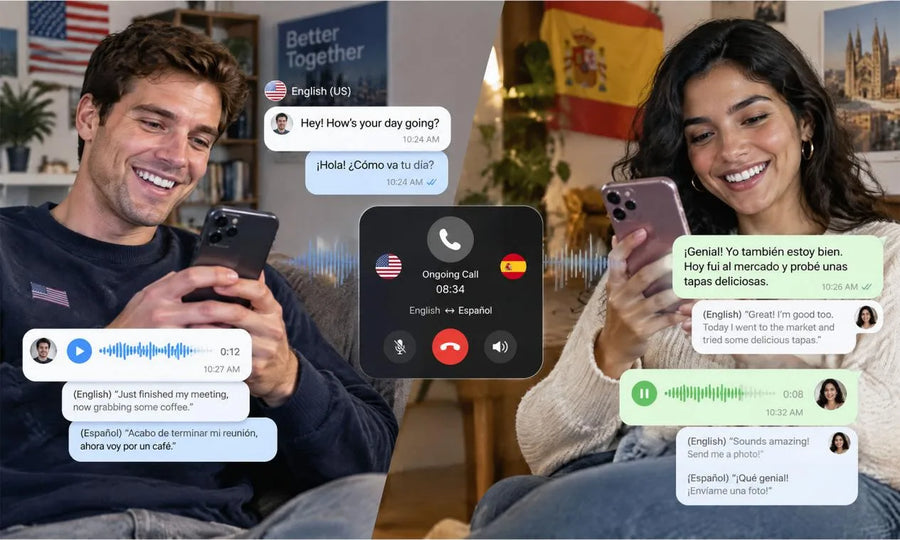
Translate a recording when people on the team need notes in another language, while keeping the original audio and transcript available for review. Translation can speed up a handoff, but the original source remains the reference for exact wording and tone.
Use a two-version workflow when your recorder can create translated notes across supported languages:
| File | Use It For | Check Before Sharing |
|---|---|---|
| Original audio | Tone, wording, and unclear passages | Replay names, figures, and key quotes |
| Original transcript | Search and speaker context | Confirm speaker labels and timestamps |
| Translated notes | Team review and follow-up | Check commitments, legal terms, medical details, and numbers |
Keep both versions in one folder and add the language to each filename. Send translated notes with the original audio or transcript when someone needs to check a quote.
Translation helps a global team review the main points sooner. The original recording gives the team a reliable way to settle a wording question.

Choose a Voice Recorder That Keeps Every Conversation Useful
Choose a meeting recorder that matches your room, recording duration, review habits, and consent responsibilities. Clear audio, steady power, practical storage, and searchable notes can turn a one-time conversation into material you can use later.
Our InnAIO TransNote recorder combines recording with transcription, speaker labels, summaries, and translation features. Ask for recording permission before you begin, then test the setup in the space you will use.
FAQs about Voice Recorder for Meetings, Interviews, and Lectures
Q1: Is It Legal to Record a Meeting or Interview Without Permission?
No. Consent rules vary across jurisdictions and contexts, so get clear permission from every participant before recording. Federal Trade Commission information confirms that state rules on recording conversations and consent can differ. For a sensitive or business-critical situation, seek advice from a qualified local attorney.
Q2: Can a Voice Recorder Capture Both Sides of a Phone Call?
Yes. A recorder can capture both sides when the phone uses speaker mode and the recorder sits close enough to pick up both voices. Results vary with speaker volume, room noise, phone hardware, and recorder placement. Get consent first, then run a short sound check before a call that matters.
Q3: Are Phone Recording Apps Enough for Occasional Use?
Yes. A phone app can suit an occasional quiet interview or personal note when its audio quality and consent workflow fit your needs. A dedicated recorder may suit longer sessions, larger rooms, or regular transcription work. Test your phone mic and available storage before you depend on an app.
Q4: Do Voice Recorders Need an Internet Connection to Work?
No. Many recorders can capture audio locally without an internet connection. Internet access may be needed later for cloud backup, transcription, translation, or sharing, depending on the product and plan. Check the device manual and run a local recording test before an offline event.
Q5: What Recording Format Is Best for Meetings and Interviews?
Different formats fit different situations. WAV can preserve more audio detail, while compressed formats can save storage and simplify sharing. Choose the format your recorder, transcript service, and collaborators can open easily. For a high-stakes interview, test the full capture-to-review workflow early.