

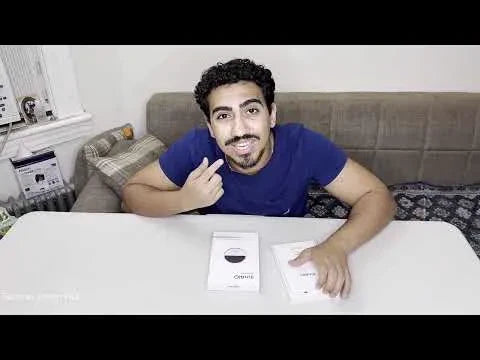
Many translator reviews list features without showing how they fit together. Techno Vision HD's InnAIO T10 review takes a more practical route: it opens the box, attaches the translator to a phone, connects the InnAIO Pro app, and walks through text, face-to-face, call, meeting, cross-app, voice memo, and voice-cloning tools. The result is useful for understanding the daily workflow, although one short demonstration cannot establish accuracy across every language and environment.

What the Unboxing Shows
The package centers on a small circular translator. The video also shows a USB-C charging cable, printed setup materials, and a magnetic adapter or ring for phones that do not already support the preferred magnetic attachment. That adapter is important because the T10 is designed as a phone companion rather than a fully independent screen-based translator.
The device has a rear control button that the presenter uses to begin speech capture and trigger actions. Keeping the control on the accessory means the user can speak without repeatedly navigating through menus, while the phone remains responsible for the interface, translated text, audio playback, saved files, and account settings.
Magnetic Setup and App Connection
The hands-on setup is short. The presenter attaches the T10 to the back of a compatible phone, opens the InnAIO Pro app, looks for the Bluetooth indicator, selects the device, and connects it. Phones with a compatible magnetic back can hold the accessory directly; other phones may need the included adhesive ring.

This arrangement keeps the translator easy to reach, but it also creates dependencies. Buyers should confirm phone dimensions, case thickness, magnetic alignment, Bluetooth behavior, operating-system support, required permissions, and whether the app is available in their region. A connection that looks effortless on one phone may require a different ring, case, or connector on another.
Text and Face-to-Face Translation
The text mode works like a familiar translation box: enter a phrase, select the source and target languages, and request the result. During the walkthrough, the language menu displays a large selection that the presenter describes as reaching roughly 150 options. That menu demonstrates broad coverage in the app, but it does not prove that every language has identical voice, offline, call, or cross-app capabilities.
The face-to-face test is more revealing. The presenter holds the button, asks for directions in English, releases it, and receives an Arabic translation in text and audio. The phone can then be handed or turned toward the other speaker, who can reply using the opposite language direction. This two-way pattern is useful at counters, hotels, clinics, transport desks, and other situations where each person needs to speak naturally.
The sample shows the workflow succeeding once in a quiet room. It does not compare accents, background noise, overlapping speakers, specialist terms, or several language pairs. Users should treat it as a setup demonstration, then test their own languages and common environments during the return period.
Call Translation and Voice Cloning
Call translation lets the user select each participant's language and choose a voice or video call workflow. In the demonstrated call workflow, translated speech appears as a transcript during the call. This can be valuable for family conversations, remote support, classes, and international work, provided the relevant call method and app permissions are supported on the user's phone.
Voice cloning accepts either a new recording or an uploaded audio file and assigns it a voice name. The goal is to have translated speech sound more like the selected person rather than a generic synthesized voice. That may make messages feel more personal, but voice samples deserve careful consent and privacy handling. Everyone involved should understand when generated speech is being used.
Meeting Transcripts and Mind Maps
The meeting demonstration records a short spoken agenda, pauses the capture, identifies a speaker, and saves the session as a named file. Opening that record displays the transcript and a mind-map option. The generated view organizes the meeting topic, speaker, and captured statement into a visual outline that can be zoomed, regenerated, and reviewed later.
This workflow can reduce the friction of taking notes while listening. It is particularly relevant for students, multilingual project teams, interviews, and client calls. The generated transcript and map should still be checked against the recording. Speaker labels, names, figures, deadlines, and technical vocabulary can be misheard or summarized without the context a human participant remembers.
Cross-App Messages and Voice Memos
Cross-app translation is demonstrated by opening the feature, moving to a messaging app, holding the T10's button, dictating an English message, and producing an Arabic version ready to send. This is a clearer use case than repeatedly copying sentences between two apps because translation stays close to the conversation.
The same section demonstrates a voice memo. Spoken English is captured, translated, played back, and prepared for sharing. Combined with voice cloning, that could help a recipient hear a more familiar translated voice. Compatibility will depend on the phone, messaging app, language pair, and current InnAIO software, so users should verify their actual communication stack.

What the Demonstration Does Not Prove
The video is a useful operational walkthrough, not a controlled performance test. It does not measure latency, calculate accuracy, compare competing products, test battery endurance, or verify all languages. It also does not show how the service behaves with poor connectivity, a crowded room, a long meeting, or a complex multilingual call.
Before relying on the T10, check the current language list, offline packs, app compatibility, subscription or minute limits, storage and deletion controls, file export, and return policy. Automated translation and meeting summaries are convenient aids, but legal, medical, safety-critical, and high-value business communication should receive qualified human review.
Who Benefits Most From This Workflow
The T10 is best suited to people who already use a phone as the center of their communication. Travelers gain quick face-to-face and text translation. International students may value meeting records and translated class discussions. Multilingual families can use messages, calls, and voice memos. Professionals may combine cross-app chat, call translation, transcripts, and summaries.
People who prefer a separate display, want to minimize app permissions, or require independently certified accuracy may prefer a different product format. The T10's strength is the number of workflows gathered around one small magnetic control, not independence from a smartphone.
InnAIO T10 Hands-On Verdict
This review makes the InnAIO T10 feel concrete because it follows the complete path from box to phone to translated message. Magnetic mounting, a physical capture button, and the InnAIO Pro interface create a coherent system for speech, calls, meetings, and messaging.
The most persuasive features are the ones shown end to end: English-to-Arabic face-to-face translation, saving a short meeting transcript and mind map, and drafting a translated message and voice memo. Buyers should still verify their own phone, languages, apps, privacy expectations, and plan limits before ordering.
InnAIO T10 Setup and Use FAQs
Q1. Does every phone attach directly to the InnAIO T10?
No. Phones with compatible magnetic mounting may attach directly; others can use the supplied adhesive magnetic ring. Cases can change the fit.
Q2. Can the T10 translate a face-to-face conversation?
Yes. The video demonstrates spoken English becoming Arabic text and audio, then shows how the other speaker can reply in the opposite direction.
Q3. What does meeting mode save?
It can save a recording and transcript, identify speakers, and generate a mind-map-style summary. Important details should be checked against the audio.
Q4. What should buyers verify first?
Check phone and case compatibility, required app permissions, the exact languages and apps needed, offline availability, subscription limits, privacy controls, and file-export options.


