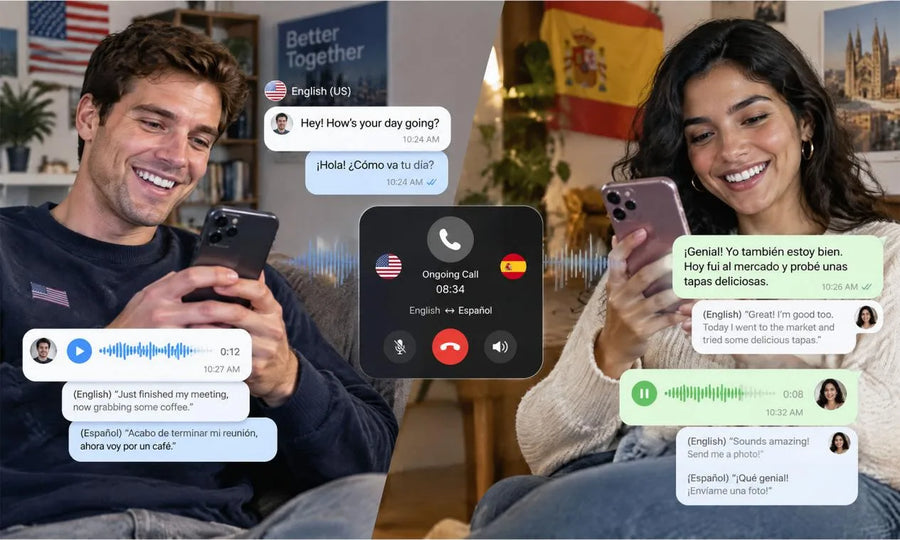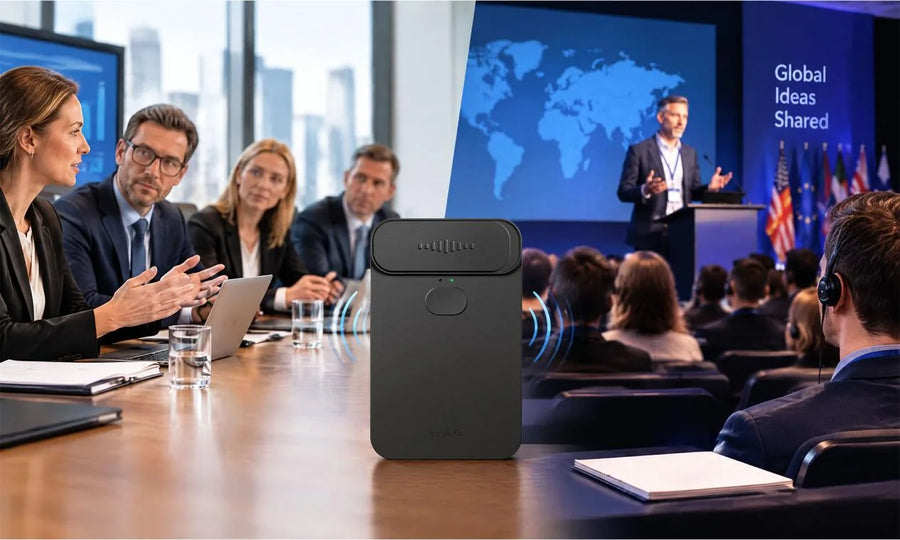

Yes, a meeting recorder can capture meeting audio while live translation presents another language during the conversation. A meeting recorder with live translation can help you follow the discussion now and preserve organized information for later review.
How Does Simultaneous Recording and Translation Work?
Simultaneous recording and translation work when one system captures audio while another process creates live translated output.
- Audio Capture: Microphones collect nearby voices from the room or sound played through a phone or computer speaker.
- Speech Recognition: The system turns spoken language into text as people talk.
- Live Translation: The translated words appear as captions, translated audio, or both.
- Recording Storage: The original audio stays available for later review.
- Meeting Processing: The recorder can organize a transcript, speaker labels, summary, action items, or a mind map after the session.
Recording protects the full conversation for later reference. Live translation helps you stay connected while the meeting is happening.

What Happens During the Meeting?
During the meeting, the recorder listens for speech while live translation helps you follow each speaker’s message.
You may see translated captions on your phone, tablet, or computer. Some tools can also provide translated audio, letting you hear the message in your selected language. Speaker labels may help you follow a multi-person discussion, especially during interviews, workshops, client calls, or international team meetings.
Place your device near the speakers or near the computer audio source. Conference recording devices can work well when the microphone position captures voices clearly and each person speaks in turn.
Live translation keeps the conversation accessible in the moment. Recording preserves the source audio and supports a fuller review after the meeting ends.

What Happens After the Meeting?
After the meeting, the recorder can turn saved audio into useful material for follow-up work.
- Transcript Review: Read the full conversation, search for a topic, and revisit key sections.
- Speaker Organization: Review who contributed each point when speaker labels are available.
- Meeting Summary: Turn longer discussion into highlights, decisions, and action items.
- Translation Review: Read translated content at your own pace and compare important details with the original transcript.
- Sharing Options: Send selected notes or files to teammates who need the meeting record.
A good post-meeting workflow can save time during project follow-up. The saved record can also help you confirm tasks, deadlines, and decisions with greater confidence.
Is Real-Time Translation the Same as Transcription?
Real-time translation and transcription serve different roles during a meeting.
| Tool | Main Purpose | Typical Output | Best Moment for Use |
|---|---|---|---|
| Live Translation | Helps you understand another language | Captions, translated audio, or both | During the discussion |
| Transcription | Creates a written record of spoken words | Searchable text and speaker labels | During and after the discussion |
| AI Summary | Organizes major points | Highlights, tasks, and decisions | After the discussion |
| Meeting Recording | Preserves the original conversation | Audio file | During and after the discussion |
Live translation supports immediate participation. Transcription and recording support accurate review, note-taking, and follow-up after the conversation.
Improve Recording and Translation Quality
Clear audio improves both recording quality and live translation quality.
- Place the Recorder Well: Put the meeting recorder near the active speakers or beside the computer speaker during an online call.
- Reduce Background Sound: Close doors, silence alerts, and choose a quieter room when possible.
- Use Natural Turn-Taking: Give each speaker a brief pause before the next person begins.
- Confirm Your Language Pair: Select the source and target languages before the meeting begins.
- Charge Your Device: Start with a full battery and confirm Bluetooth or app connections.
- Speak Clearly: Use complete sentences for names, numbers, decisions, and deadlines.
A strong recording starts with useful microphone placement and clear speech. Small preparation steps can support better translated captions and a more reliable meeting record.

Protect Privacy and Obtain Consent
Clear recording notice and consent support respectful meeting practices.
Tell participants that audio recording and translation will be active before the meeting begins. Share the purpose, identify who can access the record, and explain how long the file will remain available. The Federal Trade Commission’s video conferencing privacy guidance highlights recording indicators and careful handling of private information.
For meetings that involve clients, regulated information, student records, health details, or confidential business plans, follow your organization’s privacy rules and local recording requirements. Permission and clear notice create a better environment for everyone involved.
Consent supports trust before the first word is recorded. A thoughtful privacy process helps you use meeting technology with care and confidence.
Capture Every Important Meeting
A meeting recorder with live translation can help you participate across languages while keeping a useful record for later. Meeting recording can turn a fast conversation into a resource you can revisit. Use clear notice, careful audio setup, and organized files to get more value from every session.
FAQs about Record and Translate a Meeting
The answers below cover practical meeting-recorder questions beyond the live workflow.
Q1: Can I Record a Meeting From My Laptop?
Q1: Yes. Many meeting recorders can capture sound through its built-in microphones during supported call and meeting scenarios. For a laptop meeting, place the device near the computer speaker and test the volume before an important call.
Q2: Can a Meeting Recorder Identify Different Speakers?
Q2: Yes, many tools offer speaker labeling or speaker separation when voices are clear and speakers take turns. Results can improve when each participant uses a distinct microphone or speaks from a consistent position. Review speaker labels after the meeting before sharing a transcript with others.
Q3: Can I Search a Recorded Meeting Later?
Q3: Yes. A searchable transcript can help you find names, decisions, action items, and key phrases quickly. Search works best when the meeting language, microphone setup, and speaker names are set clearly. Some tools also let you mark important moments during the conversation for faster review.
Q4: Can I Use a Meeting Recorder for Interviews?
Q4: Yes. A recorder can support interviews, research conversations, hiring discussions, and customer discovery sessions. Tell each participant about recording before the session starts, confirm access rules, and create a naming system for files. Clear organization can help you find the right interview later.
Q5: How Do You Choose the Best Voice Recorder With Transcription?
Q5: Compare microphone coverage, battery capacity, storage options, speaker labeling, export formats, and language support. The best voice recorder with transcription fits your meeting size and review habits. For lectures and group sessions, look for clear audio pickup and easy transcript search tools.