

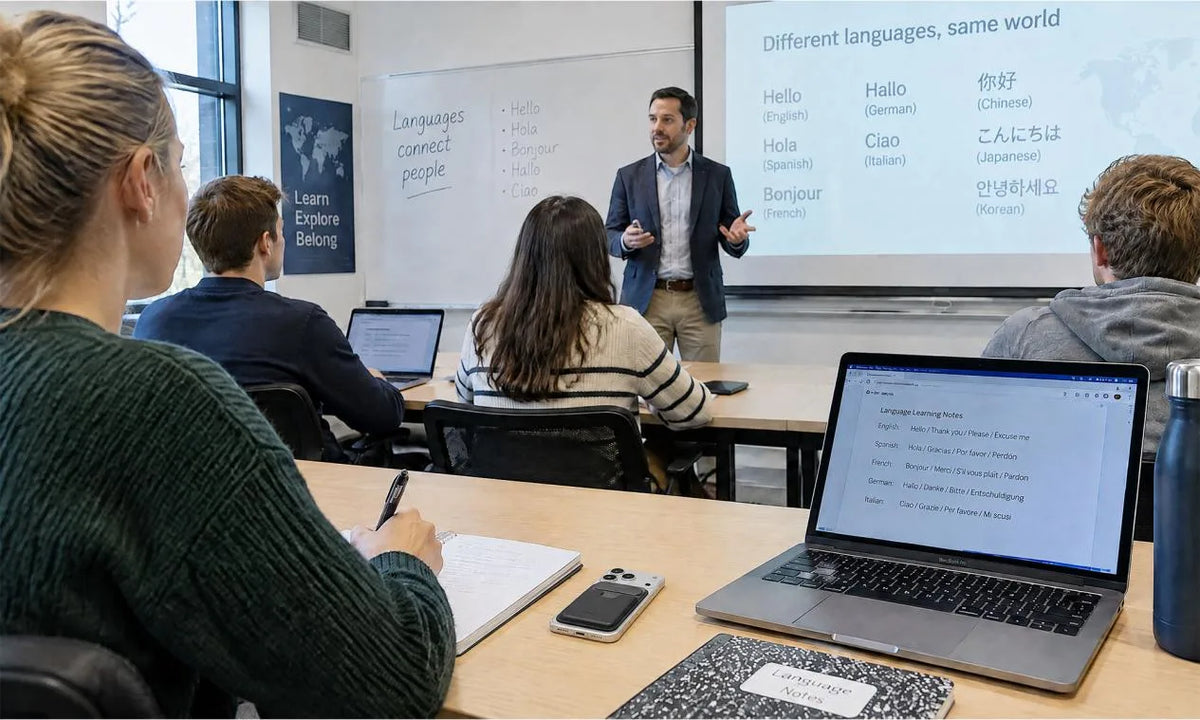
An AI lecture note taker is especially useful for foreign-language or multilingual lectures when clear audio can become a searchable transcript and translated study notes. Permission, placement, power, and testing come before transcription and translation.
Your own notes still matter for slides, diagrams, original-language terms, and ideas worth raising in class. A simple recording routine gives you a stronger source file for later translation and review.
What Permission and Course Rules Apply to Lecture Recording?

Course rules and local law determine whether you may record a lecture and how you may use the file. Check the syllabus, learning platform, accessibility office guidance, and lecturer’s directions before class.
Course Permission
Look for a written rule that covers lectures, seminars, tutorials, guest speakers, and group work. Ask the instructor when the rule leaves room for interpretation or when an accessibility accommodation applies.
Student Privacy
Treat student voices, names, and personal comments with care. A school-maintained recording that directly relates to a student can fall within the scope of an education record under U.S. Department of Education FERPA guidance.
Sharing Limits
Keep a recording within the use permitted for the course, even when a transcript feels easy to send. Carnegie Mellon’s recording policy guidance offers an example of personal educational use and distribution boundaries.
Permission protects classmates and respects the lecturer’s course design. Record only after you understand the rule for that particular learning setting.
Choose a Recording Position Based on the Classroom Layout
Your recording position should favor the lecturer’s voice while reducing distance, obstruction, and repeated room noise. Choose a place that suits the room before you rely on a voice recorder for lectures.
| Classroom Layout | Best Starting Position | Main Risk to Watch |
|---|---|---|
| Large lecture hall | Front or center aisle with a clear path to the lecturer | Distant speech and ventilation noise |
| Seminar table | Near the lead speaker after permission | Uneven voices around the table |
| Group activity room | Central location approved for all speakers | Overlapping small-group talk |
| Hybrid classroom | Near the room speaker or lecturer | Echo from loudspeakers |

Keep the microphone uncovered and away from laptop fans, zipper movement, and paper rustle. The best voice recorder for recording lectures is one that captures your lecturer clearly enough for later transcription and translation.
Do You Need to Capture Student Questions and Group Discussion?
Capture student questions and group discussion when they contain assessment guidance, assignments, or explanations the lecturer later uses. Use a separate decision for each class format rather than recording every voice automatically.
- Record lecturer responses that clarify a concept, deadline, or assignment requirement.
- Mark faint student questions in your notes and ask for clarification later when needed.
- Confirm expectations again for small seminars, tutorials, or activities with personal discussion.
- Limit file access when classmates share experiences that belong only in the learning space.
An AI lecture note taker can help you locate themes in approved discussion, yet overlapping voices can weaken transcription. Your goal is a useful study record, not a permanent archive of every classmate’s comment.
How Much Battery Life and Storage Do You Need for a Full Lecture Day?
Plan power and storage for your longest course day plus travel, breaks, and an unexpected long session. Check recording mode, available space, cable type, and battery indicator before leaving home.
- Create one folder for each course and use a date-first name.
- Keep enough free space for several classes, since a full device can end a recording before the lecture ends.
- Carry the correct charging cable or a permitted power bank.
- Transfer completed files on a regular schedule and keep an approved backup copy.
An audio recorder for lectures is useful only when it has power and space at class time. Daily preparation keeps your review library orderly across a full term.
Run a Short Recording Test Before You Rely on the Device
A one-minute test reveals placement, volume, and background-noise issues before the lecture begins. Test in the actual room whenever possible, then adjust the setup before important content starts.
- Record a short sample from your intended seat, including a subject term or phrase used in the lecture language.
- Play it through headphones at a comfortable level.
- Listen for muffled speech, tapping, ventilation, or voice levels that disappear under room noise.
- Move the device or adjust the microphone setting, then repeat the sample until the phrase remains clear enough for review and translation.
The Deafness and Other Communication Disorders notes that volume and exposure duration both affect hearing risk, so keep headphone playback moderate. A short test gives you evidence that the setup fits the room before you depend on it.
Capture Lectures Clearly for Later Reference
Clear source audio gives you a reliable base for transcription, translation, and later study. Keep the original recording, transcript, and translated notes in the same course file.

Our InnAIO TransNote supports searchable transcripts, translation, and AI notes for multilingual lecture review. Pair the translated notes with your class notes so terms, slides, and diagrams keep their context.
FAQs about Lecture Recording and Translation
Q1: What Should You Do When a Lecturer Uses Video or Audio Clips?
Ask the lecturer how those clips should be handled before class. A classroom recording may capture clip audio poorly or raise separate licensing concerns. Mark the time in your notes, record the title or source shown in class, and use any course-provided material for review. Keep your study file within the stated course permissions.
Q2: Can an AI Lecture Note Taker Capture More Than One Language?
Yes. Some tools offer multilingual transcription or translation, yet language availability and accuracy vary with the language pair, audio quality, and subject vocabulary. Test the languages used in your course with a short sample before relying on the output. Keep the original transcript beside the translated version and preserve key terms from slides or readings for a reliable vocabulary reference.
Q3: Can You Use the Same Recorder for Seminars and Tutorials?
Yes, when the instructor and course rules allow it. For a seminar or tutorial, identify speakers in your notes with initials, seating positions, or agreed labels so later transcripts remain easier to interpret. Keep the original-language label beside a translated label when participants move between languages during discussion.
Q4: What Should You Do if the Lecturer’s Voice Is Too Quiet?
Mark the uncertain timestamp and term in your notes, then check the related slide, reading, or course glossary before trusting a translated phrase. Ask the lecturer or teaching assistant for clarification when the term affects an assignment, assessment, or technical concept. Keep the original wording beside any corrected translation for later review.


