

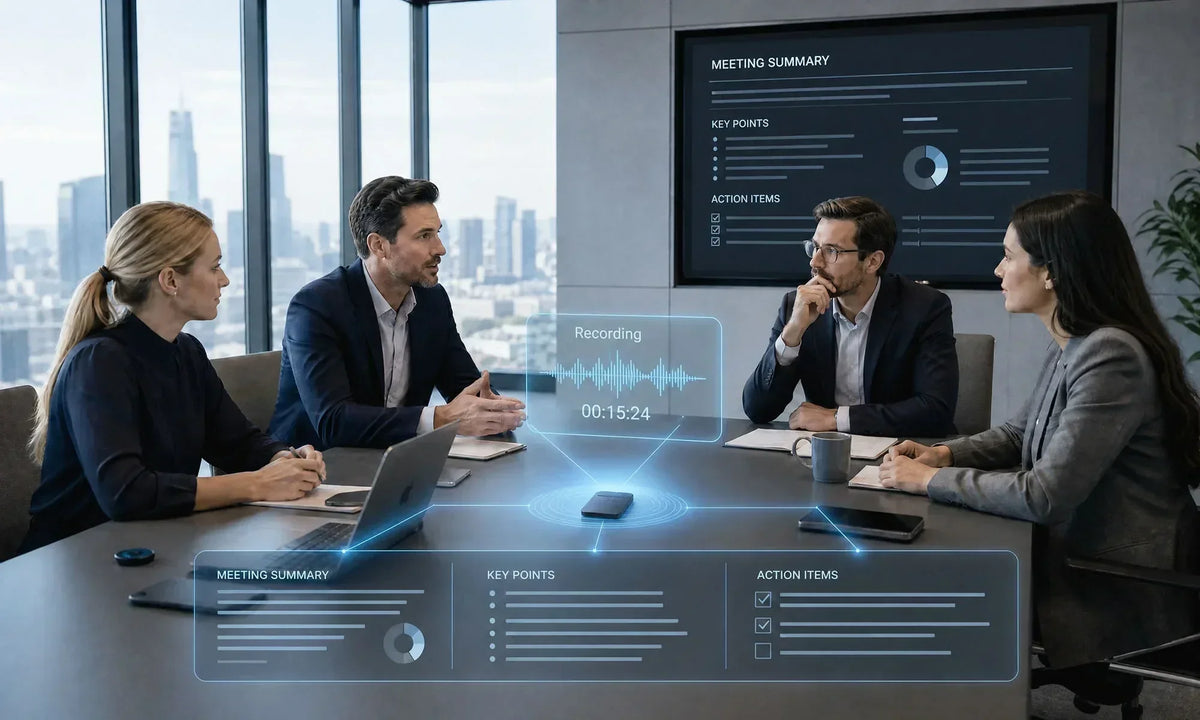
An AI note taker captures meeting audio, converts speech into text, and organizes the conversation into summaries, decisions, and follow-up tasks. It reduces manual note-taking, but users should still verify names, numbers, deadlines, and important commitments. This guide explains how the technology works, which features matter, and how to choose a suitable option for online or in-person meetings.

What Is an AI Note Taker?
An AI note taker is software or a dedicated device that turns spoken information into searchable meeting records. Unlike a basic voice recorder, it may separate speakers, identify topics, summarize discussions, and extract action items.
Most tools use one of three capture methods. They join a video call as a meeting bot, connect directly to a conferencing platform, or process audio recorded through a phone, computer, or standalone device. The output may include a transcript, recap, decisions, assigned tasks, timestamps, and links to key moments.
These systems support project meetings, sales calls, interviews, lectures, and research sessions. Human review remains important when discussions contain sensitive information or high-impact decisions.
How AI Note Taking Works
Understanding how AI note taking works helps users judge the value and limits of the final notes. The process usually includes audio capture, speech recognition, speaker separation, language analysis, and structured output.
Audio Capture
The system first receives audio from a meeting platform or microphone. Clear sound improves results, while background noise, distant speakers, weak connections, and overlapping voices can reduce accuracy.
Some services capture only audio, while others may also save video, shared screens, or chat messages. Collection depends on the platform, permissions, and account settings.
Speech-to-Text Conversion
Automatic speech recognition divides the audio into segments and converts spoken language into timestamped text. This creates the transcript that later summaries and action items are based on.
Automated meeting transcription may mishear technical terms, uncommon names, numbers, or overlapping speech. Accents and dialect variation can also affect results, and research continues to identify accented speech as a challenge for automatic speech recognition.
Speaker Separation and Identification
Speaker diarization estimates when different people are speaking. A system may use generic labels such as "Speaker 1," or connect voices with participant names through platform data, voice profiles, or manual confirmation.
Identification is usually easier when participants use separate microphones or signed-in accounts. It becomes harder when several people share one conference-room microphone or interrupt each other.
Summarization and Information Extraction
A language model analyzes the transcript for topics, decisions, questions, risks, and next steps. An AI summary generator may create a brief overview, a detailed recap, or a format designed for sales, recruitment, or project work.
This step is interpretive, so errors can occur. A summary may omit context or present a suggestion as a confirmed decision, which makes review essential.
Formatting and Distribution
The final notes may be sent to a document, email, CRM, or project-management system. Some tools also support transcript search and follow-up drafts.
Knowing how AI note taking works should lead to a simple quality-control process. Review the summary, confirm task owners, correct names, and store the approved version in the proper location.

Key Features of AI-Powered Meeting Notes
The right feature set depends on whether users need a complete record, quick recap, or reliable follow-up. Availability varies by product and subscription.
- Meeting Recording: Recording preserves the source audio and sometimes video. Check what is captured, where it is stored, who can access it, and when it will be deleted.
- Automated Transcription: A searchable transcript helps users locate exact statements and confirm decisions. Useful controls include timestamps, editing, playback, language selection, and common export formats.
- Speaker Identification: Speaker labels show who said what. Microsoft Teams, for example, can display speaker names in live transcripts, although participants may choose not to be identified.
- AI Summaries: A useful AI summary generator should separate discussion, decisions, unresolved questions, and next steps. It should also let users change the summary length or format for different audiences.
- Action Items: Action-item extraction identifies tasks, owners, and deadlines mentioned during the meeting. Results are more dependable when participants state assignments clearly and review them before ending the call.
- Mind Maps and Structured Notes: Some tools turn conversations into outlines, topic trees, timelines, or mind maps. These views are most useful when each point remains linked to the transcript for verification.
AI Note-Taking vs. Traditional Note-Taking
AI-generated notes prioritize coverage and speed, while traditional notes provide more deliberate human interpretation. Many teams benefit from combining automatic capture with short personal notes.
Manual notes remain useful when recording is inappropriate or interpretation matters most. Automatic notes suit frequent meetings, searchable records, and standardized follow-up.

Benefits of Using AI-Powered Notes for Meetings
The value is not simply faster typing. Well-managed meeting records make information easier to retrieve, share, and turn into action.
Better Focus During Conversations
Participants can listen and respond without trying to capture every sentence. They can still write brief personal notes about opinions, concerns, or context the system may miss.
More Consistent Follow-Up
Structured summaries bring decisions and next steps into one place. Teams can use the draft to confirm task owners, deadlines, and unresolved questions.
Easier Search and Retrieval
Searchable transcripts help users find an objection, requirement, interview answer, or project decision without replaying the full recording. This is useful for recurring meetings and long research sessions.
Support for Absent Participants
A summary and transcript help absent colleagues understand what happened. However, notes may not fully capture tone, visual context, or informal discussion.

How to Choose the Best AI Meeting Note Taker for Your Workflow
The best AI meeting note taker fits the meeting environment, security rules, and follow-up process. Reliable capture and controlled access matter more than having the longest feature list.
Match the Tool to the Meeting Type
For online meetings, confirm direct support for the required conferencing platform. For in-person use, test microphone range, noise handling, battery life, and whether an internet connection is required.
Test Accuracy with Real Meetings
Use the accents, terminology, room setup, and speaking style your team normally encounters. Check names, acronyms, figures, task owners, and deadlines instead of judging only the polish of the summary.
Review Outputs and Integrations
Decide where notes should go after the meeting. A sales workflow may need CRM fields and follow-up drafts, while a product team may prioritize project tasks and searchable decision records.
Examine Privacy and Administration Controls
Check encryption, storage location, retention, deletion options, permissions, model-training policies, and administrator settings. Confirm whether sharing can be restricted.
Compare Pricing by Actual Usage
Services may charge per user, minute, meeting, storage, or advanced feature. Estimate monthly volume and review time.
Can These Tools Work with Zoom, Teams, and Google Meet?
Yes, but the connection method differs. A feature may be built into the platform, added through a meeting participant, activated by an extension, or applied after the call.
Google Meet can organize supported meeting notes in Google Docs. Microsoft Teams supports real-time transcripts with speaker names and timestamps, while Zoom cloud recording can capture video, audio, and chat and can generate an audio transcript when enabled.
Before deployment, confirm account eligibility, language support, host permissions, guest behavior, mobile access, and administrator controls. Platform features and subscription requirements can change, so current official documentation should be checked.
When Should You Use a Dedicated AI Note-Taking Device?
A dedicated device is useful when meetings take place away from a computer or involve several people in one room. It may provide more consistent microphone placement than a phone or laptop placed at the edge of a table.
Consider one for interviews, site visits, workshops, and face-to-face meetings. The InnAIO TransNote AI Translation Recorder is an ideal choice for these scenarios, offering a 5-microphone system with a 5-meter pickup range and real-time translation for cross-language business. Its ultra-slim, card-style design allows for easy portability, while its AI features automatically generate summaries and mind maps from your recorded conversations. Check pickup range, battery life, storage, exports, offline operation, language support, and recording indicators.
Software may suit fully remote teams better because it can connect to calendars, meeting platforms, shared documents, and task systems. The correct choice depends on the physical setting and the required follow-up workflow.

Conclusion
AI-powered note-taking can turn meetings into searchable transcripts, summaries, and action lists with less manual work. Its usefulness depends on audio quality, human review, workflow fit, and responsible data handling. Test real meetings, verify privacy controls, and ensure important decisions can be traced back to the original discussion.
FAQ about AI Note Taker
Does an AI Note Taker Record Video or Just Audio?
It depends. Some tools record only audio, while others can save video, shared screens, chat messages, or separate files when the platform and account settings allow it. Check the configuration before each sensitive meeting. Disabling a camera does not necessarily prevent audio, transcript, or chat capture.
How Accurate Is Automated Meeting Transcription?
There is no single accuracy rate for every meeting. Results depend on microphone quality, language support, accents, noise, specialist vocabulary, connection quality, and overlapping speech. Automated meeting transcription is best treated as a searchable draft rather than a guaranteed word-for-word record. Review names, figures, deadlines, quotations, and commitments.
Can AI Note-Taking Tools Identify Different Speakers?
Yes, many tools can separate and label speakers. Accuracy is often better when people use individual microphones or signed-in accounts and lower when several voices share one microphone. Some systems require manual naming or a voice profile. Participants may also have settings that prevent their names from appearing in transcripts.
Are AI Note-Taking Tools Safe for Confidential Business Meetings?
They can be, but only after the organization reviews the tool, settings, contracts, and intended use. Limit access, define retention, check model-training policies, and avoid recording data the system is not approved to process. Recording rules vary by jurisdiction and situation.


